Server virtualization for businesses

We turn a single physical server into several independent, isolated and secure environments. More availability, less hardware, and recovery in minutes if anything fails.
Since 1985 · 200+ people · All of Spain
Virtualization is the foundation of modern infrastructure: instead of buying a server for each application, we consolidate everything onto fewer physical machines that perform better and consume less. We design the architecture with VMware or Proxmox, size CPU, memory and storage to your real workload, and leave room to grow without touching hardware again.
The result is a platform that heals itself: if a server fails, the virtual machines start on another cluster node within minutes, without your team noticing the outage. We add Veeam backups and scheduled snapshots so you can roll back after human error, a failed update or an attack.
Virtual machines
Whole systems in a few files — migrate or restore them to another server in minutes.

VMware / hypervisor
Smart allocation of CPU, memory, disk and network over your real hardware.
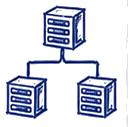
High availability
If one node fails, another takes over. Your operation never notices.

Snapshots & backup
Restore points to roll back without drama.
Less hardware
Consolidating several servers into one cuts equipment spend, rack space and power use.
Availability
With cluster high availability, the service target rises to 99.9% a year.
Recovery
We restore a whole machine on another node in minutes, not hours.
Monitoring
We watch cluster resources and health continuously.
SMBs with a critical ERP
Isolate ERP, database and email on separate machines over the same hardware, with no interference.
Firms and consultancies
Consolidate file and application servers and add verified backups to meet their obligations.
Industry and logistics
Keep legacy production software in isolated, stable environments, even on an old OS.
Clinics and centres
Separate records, management and workstations, with fast startup after any incident.
We work with VMware: a hypervisor shares your real hardware across several virtual machines.
Hypervisor
A layer between hardware and systems that assigns CPU, memory, disk and network to each machine.
Real performance
It virtualizes on the physical CPU (it doesn't emulate all the hardware): near bare-metal speed.
Safe isolation
Each environment runs independently; a failure in one doesn't spread to the rest.
Assessment
We analyse your servers, workloads and peaks to size the platform.
Design
We define hypervisor, cluster, network and backup policy to fit.
Migration
We virtualize your current systems in phases, without stopping your business.
Support
We monitor, update and respond with an assigned technician.
What is virtualization?+
A layer between the physical hardware and the systems, so a single server can run several independent, isolated machines.
What if a server fails?+
Each virtual machine is a system packed into files: we migrate or restore it on another server in minutes.
How much hardware do I need to virtualize?+
Less than you'd think: we consolidate several workloads onto one server. We analyse your CPU, memory and disk peaks and size the platform with room to grow, so you get the most out of your hardware without overbuying.
Does virtualization slow systems down?+
Not noticeably. The hypervisor runs on the physical CPU (it doesn't emulate the hardware), so each machine performs almost like a dedicated box; sharing resources can even improve performance over underused servers.
What's the difference between VMware and Proxmox?+
VMware is the most mature enterprise standard; Proxmox is a very solid open-source alternative with no licensing cost. We choose one or the other based on your budget, your workloads and any prior investment you already have.
Can I virtualize without stopping my business?+
Yes. We migrate in phases and in agreed windows, usually with no noticeable downtime: first we replicate, we validate everything works, and only then switch over to the virtual environment.